The best weather app for photographers is the one that helps you make a decision about your next shoot. A photography weather forecast for a portrait session, a windy coastline and a night under the stars needs different information. Fotocast brings photography-focused weather and photoshoot planning into one workflow; the alternatives below answer other useful questions.
Publisher disclosure: Dunbar Technology develops Fotocast. This guide compares published features and use cases; it is not an independent accuracy test.
Compare the apps
Fotocast
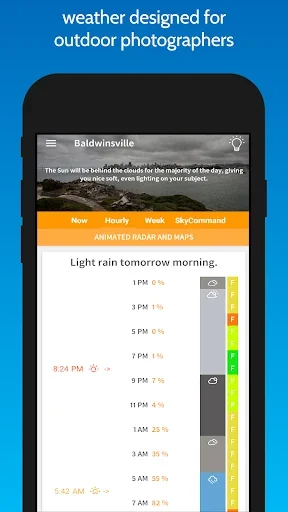
Fotocast organizes forecasts around photography, combining Fotoscore with session planning, light timing and practical tools for preparing an outdoor shoot.
Strengths
- Fotoscore tailored to photographer type
- Weather-aware photography tips and gear suggestions
- Photography session manager with multiple locations
- Golden hour, blue hour and daylight phases
- Sunrise and sunset quality scores
- Sun and Moon direction planning
- Custom weather alerts, radar and weather maps
- Photography calculators and mileage trip log
Limitations and access
Minute-by-minute precipitation coverage is limited to the USA, UK and parts of Canada according to the Android listing. Fotoscore helps inform a plan; recheck local conditions and current platform feature availability.
Explore Fotocast on Google Play or Fotocast on the App Store. See all Fotocast features.
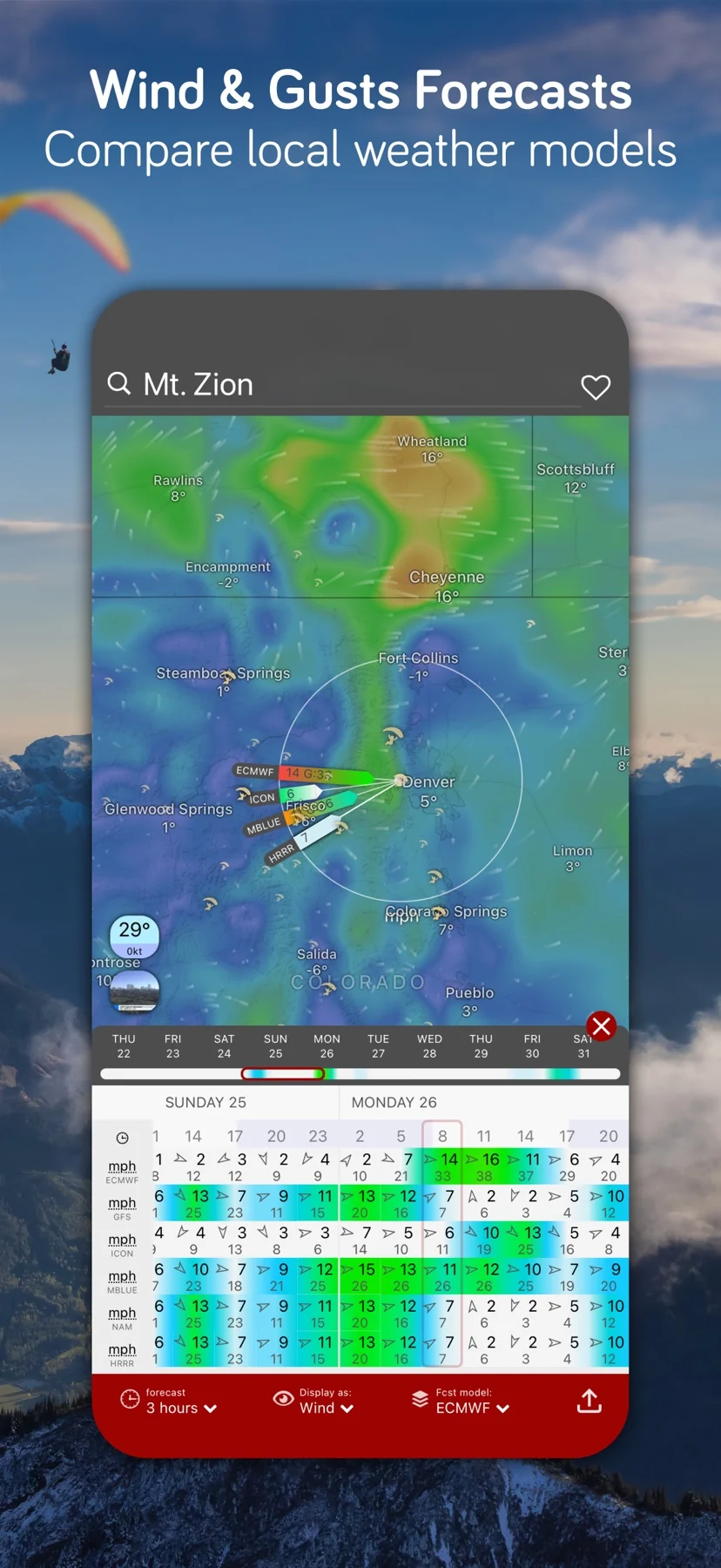
Windy.com: useful for comparing forecast models
Windy.com documents a location forecast with model comparison, including cloud-and-rain meteograms. This makes it a useful candidate when you want to inspect whether forecasts agree about the conditions at a destination. The product here is Windy.com, rather than the separate Windy.app service. See Windy.com’s official location-forecast explanation.
Strength: Comparing forecasts can reveal a planning question worth revisiting before departure. Tradeoff: You still need to interpret that information for your subject and schedule. Agreement is not a promise, and disagreement does not tell you which model will be right. The documented custom default forecast settings require Premium; confirm current entitlements before buying for a particular workflow.
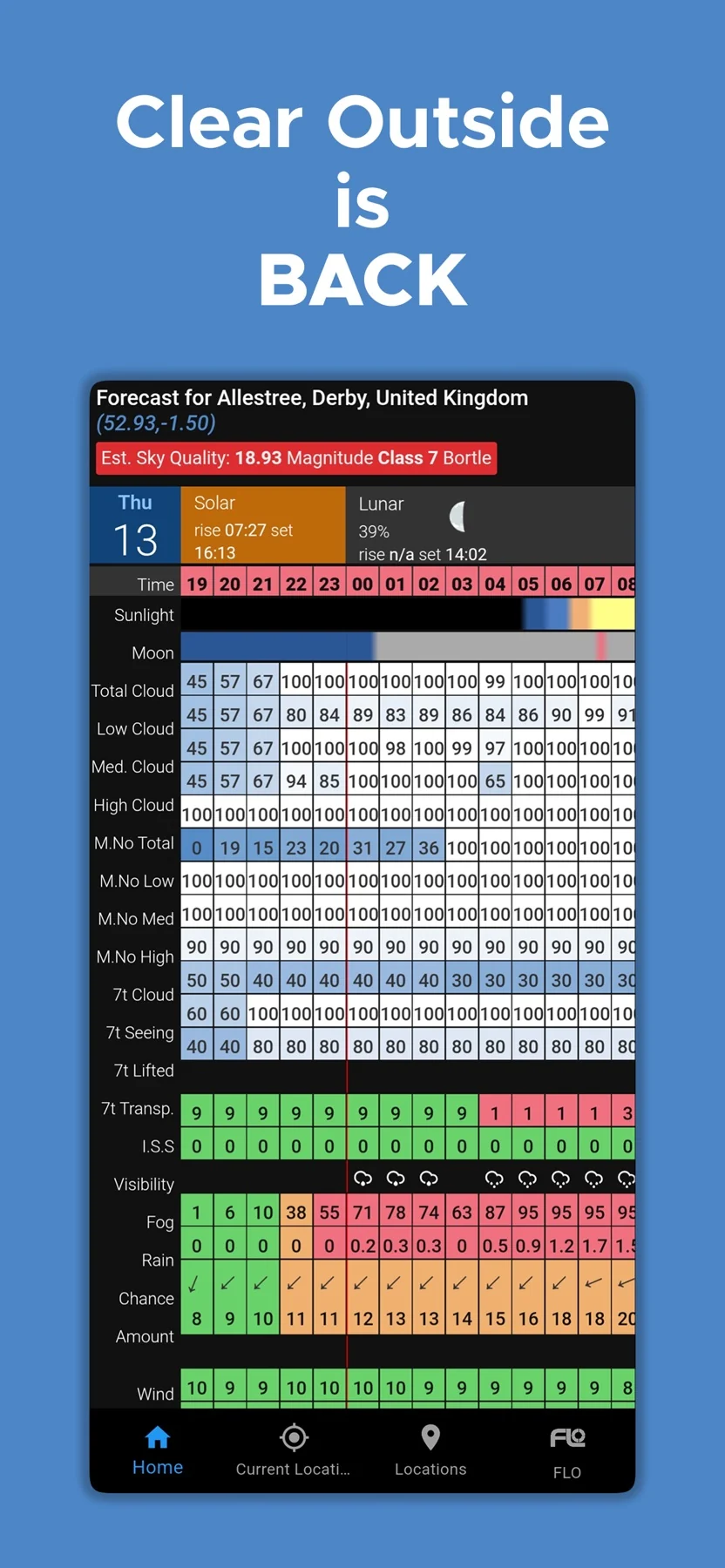
Clear Outside: useful for cloud and night-sky decisions
Clear Outside presents an hourly astronomy forecast with total, low, medium and high cloud information, alongside Moon and darkness information. Its detailed display can help when your main question is whether a night-sky session is worth planning around a particular time window.
Strength: Cloud layers and darkness belong together in an astronomy decision. Tradeoff: A favorable clear-sky indicator does not mean conditions are ideal for every photograph. A landscape composition might benefit from cloud structure; a portrait session might depend more on wind or the chosen setting. Read the relevant values instead of treating a single indicator as a verdict on your whole shoot.
PhotoPills: a planning companion for precise alignment
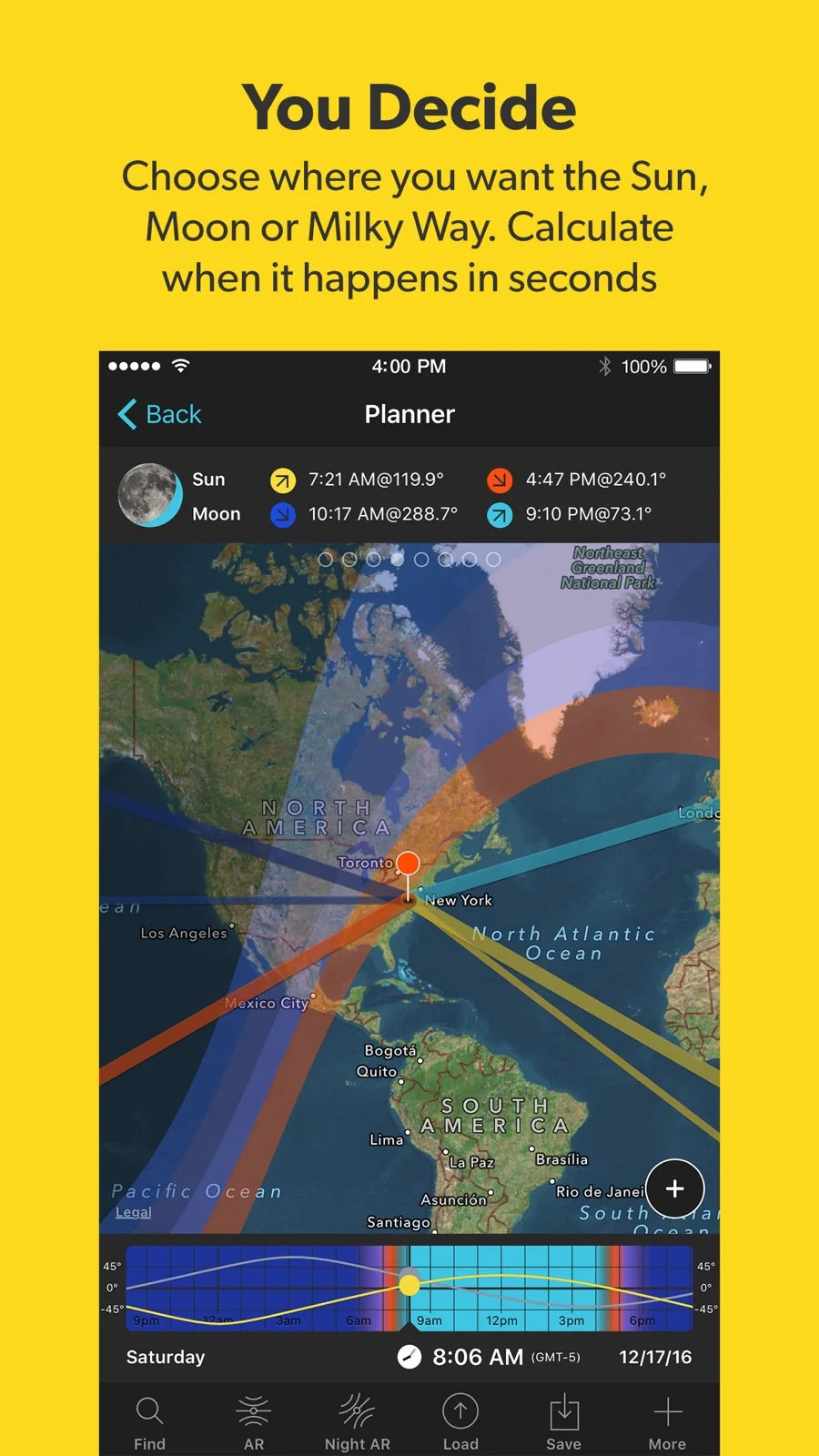
The official PhotoPills user guide describes a map Planner for Sun, Moon and Milky Way positions, with golden hour and twilight timing. Strength: Consider it when the composition depends on where a celestial subject will appear. Tradeoff: Position and timing do not tell you whether weather will obscure the shot; pair the documented planning tools with a forecast.
Choose by the planning problem
| Tool | Useful for | Main tradeoff |
|---|---|---|
| Fotocast | Photography weather scores, daylight times and session alerts. | Scores need interpretation; minutely forecasts have regional limits. |
| Windy.com | Comparing weather-model forecasts for clouds and rain. | Model disagreement still needs a shooting decision. |
| Clear Outside | Hourly cloud layers and darkness information for astronomy. | A clear-sky indicator is not a universal photography score. |
| PhotoPills | Planning Sun, Moon and Milky Way positions. | Use geometry planning alongside weather information. |
Turn the information into a shoot plan
Write down the conditions your photograph actually needs before comparing apps. For a client portrait, that might mean an acceptable wind range, a sheltered backup and enough daylight for the agreed schedule. For a reflection, surface conditions may matter more than a colorful sky. For stars, darkness and cloud become the first questions.
Then choose the smallest combination of tools that answers those questions. Use Fotocast when its photography scores, light times and session workflow fit your needs. Add a model-comparison view when uncertainty affects travel, or a geometry planner when an alignment is fixed. Recheck forecasts as the session approaches and keep a fallback rather than planning solely around a distant score.
Our guides to planning an outdoor photoshoot and planning around wind provide practical checklists. If our integrated approach suits your photography, explore Fotocast’s real screenshots and download options.
Questions about photography weather apps
What should I look for in an outdoor photoshoot forecast?
Begin with the conditions that would change your session: precipitation, gusts, visibility and the usable daylight window. Then check whether the app’s display and alerts fit your subject, location and planning habits. A general weather summary and a photography session plan serve different purposes.
Is the best landscape photography weather always clear?
The best conditions depend on the image you want. A cloud-free sky, soft overcast light and broken cloud each suit different ideas. Choose your subject first and use the forecast to prepare a main composition and an alternative, rather than asking one score to decide your style.