The best stargazing apps solve different astronomy planning problems. A dark sky finder helps you compare observing locations; a star map helps identify what is overhead. Aurora forecast information and telescope planning are different jobs again. This comparison recommends an app for each purpose instead of treating every astronomy tool as interchangeable.
Publisher disclosure: Dunbar Technology develops Light Pollution Map. This guide compares published features and use cases; it is not an independent accuracy test.
Compare the apps
Light Pollution Map
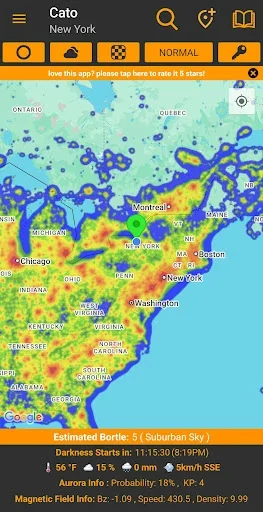
Light Pollution Map brings location scouting, observing conditions and astronomy tools together, from comparing dark-sky sites to planning a night around Moonlight or aurora activity.
Strengths
- Light pollution overlays and Bortle scale estimates
- Sky conditions and astronomical darkness timing
- Aurora forecasts, Kp index and solar-wind information
- Moon phases and Moon-position planning
- ISS tracking and astronomy event calendars
- Saved observing locations and custom alerts
- Home-screen widgets and night-friendly themes
Limitations and access
Map estimates cannot capture every local light or tonight’s conditions. Check cloud, Moonlight and access before traveling. Some tools require a Pro subscription; availability can differ by platform.
Explore Light Pollution Map on Google Play or Light Pollution Map on the App Store. See all Light Pollution Map features.
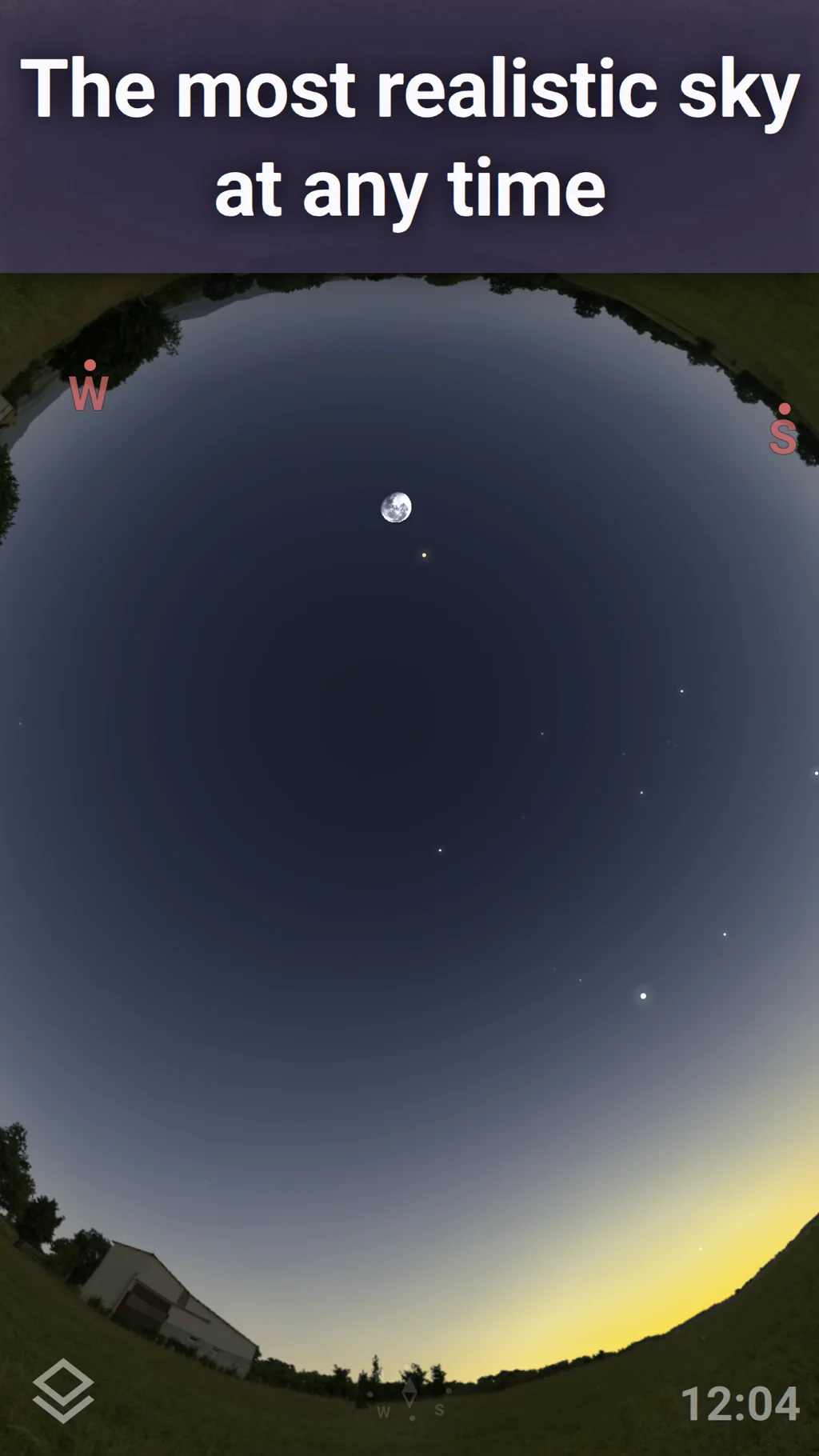
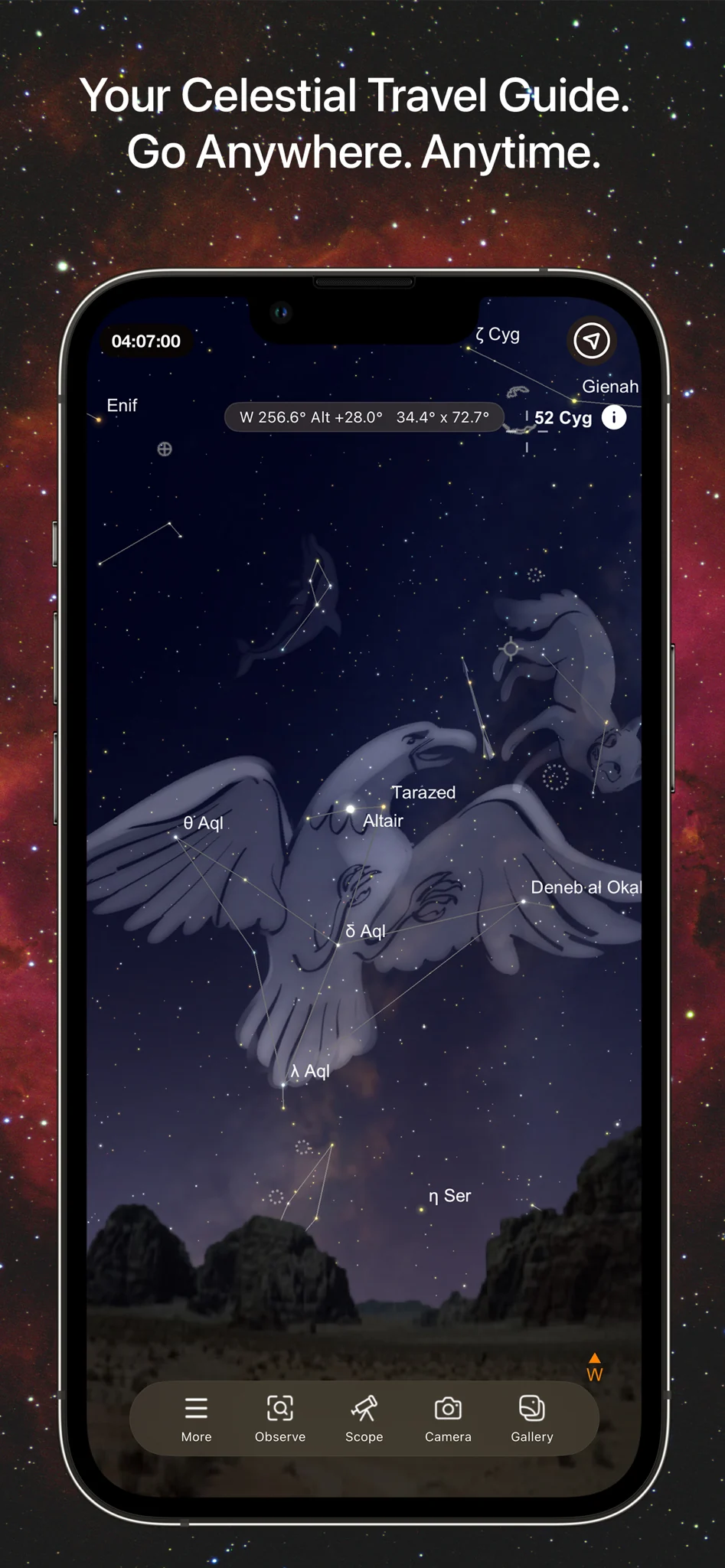
Stellarium Mobile: a fit for learning the sky
Stellarium Mobile displays a simulated sky for a selected time and location, with constellation illustrations and sensor-based identification. Stellarium Labs also documents night mode and offline operation with a reduced data set. These are useful capabilities when your main task is understanding what you are looking at. See the developer’s Mobile and Plus feature comparison.
Strength: A sky simulation gives context to objects and their apparent positions. Tradeoff: Advanced observation tools, an observing calendar and telescope control are listed as Plus features. Sensor pointing also depends on device hardware and can be affected by nearby magnetic objects, according to the Stellarium Labs FAQ.
SkySafari: a fit for detailed observing workflows
SkySafari documents sky charts, observing lists, equipment settings and telescope control, with differences between Basic, Plus and Pro. Its current developer comparison also lists optional Premium services, including weather and observing conditions. Consult the SkySafari edition chart instead of assuming a feature is included with every download.
Strength: Its documented observing and equipment tools make it a candidate when you want to plan targets and work with a compatible telescope. Tradeoff: Selecting an edition and confirming compatibility are part of the purchase decision. Check your exact mount, connection method and required features first; a general telescope-control claim is not confirmation for your own setup.
Astrospheric: a fit for astronomy weather
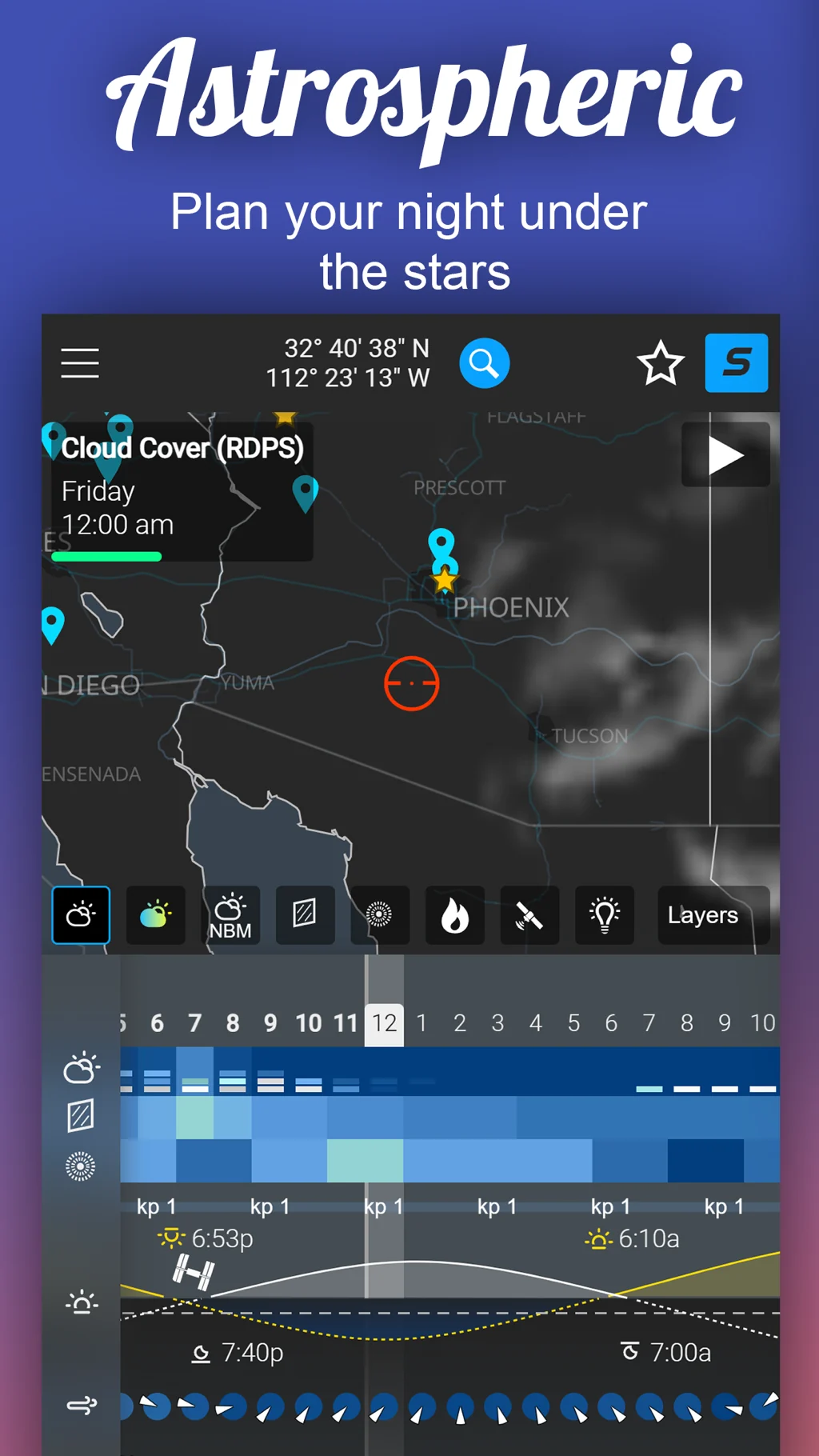
Astrospheric documents cloud, transparency and seeing forecasts, including smoke information in transparency. Its Pro features include a cloud-model ensemble. That makes it worth examining when deciding whether the atmosphere suits an observing session. See Astrospheric’s product overview.
Strength: Astronomy-specific weather variables provide more relevant questions than a simple sunny-or-cloudy icon. Tradeoff: Its primary RDPS forecast domain does not cover the world. The developer recommends checking forecast details at your intended location; model coverage can differ. See the official data-domain explanation.
How we compared these apps
We checked each product’s stated purpose, relevant planning features, edition restrictions and important coverage or compatibility limits. We did not score forecast accuracy, battery use or ease of use without controlled testing. The table summarizes task fit; the sections below explain the reasons and tradeoffs. Before downloading, check the current store listing for your device, price and feature entitlement.
| App | Recommended use | Main tradeoff |
|---|---|---|
| Light Pollution Map | Comparing dark-sky locations and checking aurora information. | Some tools require Pro; estimates and forecasts are not guarantees. |
| Stellarium Mobile | Exploring a simulated sky and identifying celestial objects. | Advanced observing and telescope tools are in Plus. |
| SkySafari | Detailed observing plans and compatible telescope workflows. | Capabilities vary by edition and optional services. |
| Astrospheric | Examining astronomy weather in its supported forecast region. | Primary forecast coverage is regional, rather than worldwide. |
Choose a combination that answers your questions
For a first dark-sky outing, start with Light Pollution Map and our location checklist. Add a planetarium when identification is your next need, or a specialized weather tool when your session depends on atmospheric conditions. For aurora planning, learn what Kp can and cannot tell you. Buy capabilities you actually need rather than treating the longest feature list as the best choice for everyone.
Questions about choosing astronomy and dark sky finder apps
Do I need a dark sky map or a star finder?
Start with the decision you are making. For choosing a destination, compare darkness estimates, access and current conditions. For identifying a bright object, choose a sky-chart workflow. A map of artificial light and a map of celestial objects can complement one another; they answer different questions.
Is one astrophotography app enough for every outing?
A simple session may only need a location and a time window. A more exact project may need target identification, atmospheric conditions and compatible equipment tools as well. Pick tools around your subject instead of assuming the longest feature list is the best setup.